

Containerization has become a foundational operational pattern for machine learning systems because it makes environments portable, reproducible, isolated, and deployable across heterogeneous infrastructure. In machine learning, where code depends on specific Python packages, system libraries, model artifacts, GPU runtimes, and serving frameworks, containerization reduces deployment friction and production drift. This whitepaper explains the technical foundations of containerization for ML, with special emphasis on Docker and Kubernetes.
Abstract
Machine learning systems often fail operationally not because the model is inaccurate, but because its runtime environment is inconsistent across development, training, testing, and production. Differences in package versions, operating system libraries, hardware access, model file locations, and service dependencies can break reproducibility and reliability. Containers package applications together with their runtime dependencies into portable, isolated units that can run consistently across environments. Docker provides the most widely used tooling for building and distributing containers, while Kubernetes provides orchestration capabilities for deploying, scaling, healing, and managing containerized workloads at production scale. This paper explains container images, layers, registries, Dockerfiles, runtime isolation, GPU-aware ML containers, Kubernetes objects, scheduling, services, autoscaling, persistent storage, inference serving patterns, batch training jobs, and MLOps implications. All formulas are embedded inline in HTML-friendly format for direct use in WordPress or similar editors.
1. Introduction
Let a machine learning application be represented as a function:
A = (code, dependencies, model, config, runtime).
A deployment problem arises when the target environment cannot reproduce this full tuple consistently. If a model
behaves correctly in development but fails in production because
dependenciesdev ≠ dependenciesprod,
then the model is operationally unreliable even if it is statistically sound.
Containerization addresses this problem by packaging the application and its required runtime into a standard unit that behaves consistently across compatible hosts.
2. Why Containerization Matters for ML
ML workloads are especially sensitive to environment mismatch because they often depend on:
- specific Python or Conda environments
- compiled scientific libraries
- CUDA, cuDNN, and GPU drivers
- serving frameworks such as FastAPI, Flask, or model servers
- serialized artifacts such as pickles, checkpoints, tokenizers, and preprocessing pipelines
Containerization matters because it improves:
- reproducibility
- portability
- environment isolation
- deployment consistency
- scaling and automation readiness
3. What Is a Container?
A container is a lightweight, isolated runtime unit that packages an application together with its dependencies while
sharing the host operating system kernel. Conceptually, if the host kernel is
K and the packaged application state is
U = (filesystem, libraries, process, config),
then a container can be seen as an isolated user-space execution environment on top of
K.
Unlike virtual machines, containers do not each run a full guest operating system, which makes them more lightweight and faster to start.
4. Containers vs Virtual Machines
Virtual machines emulate or virtualize full operating systems, each with its own kernel. Containers instead isolate processes while sharing the host kernel.
Therefore:
- VMs provide stronger OS-level separation but are heavier
- containers are lighter, faster, and better suited for microservice-style packaging
For ML deployment, containers are often preferred because they support rapid packaging and scaling of training and inference workloads.
5. Docker Fundamentals
Docker is the most widely used ecosystem for building, packaging, and running containers. Docker provides:
- a format for defining images
- build tooling
- a local runtime
- registry integration
- networking and volume abstractions
In common usage, a container is a running instance of an image.
6. Docker Images
A Docker image is an immutable packaged filesystem plus metadata required to run a container. One may think of an
image as:
Image = (base, layers, entrypoint, env, metadata).
In ML applications, an image may contain:
- operating system base layer
- Python runtime
- ML libraries such as NumPy, pandas, scikit-learn, PyTorch, TensorFlow
- application code
- model artifacts or logic to fetch them
7. Layers and Caching
Docker images are built in layers. Each command in a Dockerfile usually creates a new layer. If the image is
represented as:
I = L1 ⊕ L2 ⊕ ... ⊕ Ln,
then each Li is a filesystem delta.
This layered design enables:
- build caching
- efficient storage reuse
- faster distribution of repeated components
Layer ordering matters operationally because frequently changing layers should be placed later to maximize cache reuse.
8. Dockerfile as Build Specification
A Dockerfile is a declarative build script that defines how to construct an image. It typically includes:
- base image selection
- system package installation
- copying code or artifacts
- dependency installation
- environment variable definitions
- entrypoint or startup command
In conceptual form:
Image = Build(Dockerfile, context).
9. Base Images for ML
ML containers often begin from base images that already include runtimes such as:
- Python slim distributions
- CUDA-enabled images for GPU workloads
- framework-specific images for PyTorch or TensorFlow
- OS distributions such as Ubuntu or Debian variants
Base image choice affects:
- size
- security footprint
- compatibility
- build time
- GPU support
10. Entrypoint and Command
A container becomes useful when it knows what process to run. The entrypoint defines the executable process, while command arguments may supply defaults or runtime parameters. For ML, the process may be:
- an inference API server
- a batch preprocessing script
- a model training job
- a scheduled retraining workflow step
11. Environment Variables and Configuration
Containers often externalize runtime configuration via environment variables such as:
- model URI
- database endpoint
- feature store connection string
- logging level
- port number
- cloud credentials mounted indirectly or injected securely
A good container image is typically generic, while environment-specific behavior is supplied at runtime.
12. Volumes and Persistent Storage
Containers are often ephemeral, meaning internal filesystem changes may not persist after termination unless backed by external storage. Docker volumes and bind mounts allow persistent or shared access to:
- training datasets
- logs
- model checkpoints
- cache directories
- configuration bundles
In ML training, checkpoint persistence is especially important because long-running jobs should not lose progress after failure or rescheduling.
13. Networking in Containers
A containerized ML service often communicates with:
- client applications
- model registries
- artifact stores
- feature stores
- databases
- message brokers
Docker provides bridged networking, port mapping, and service connectivity so that internal application ports can be exposed or routed appropriately.
14. GPU-Aware Containerization
Many ML workloads require GPUs for training or high-throughput inference. GPU containerization typically requires:
- compatible host drivers
- container runtime support for GPU access
- CUDA-compatible libraries inside the image
If the application requires device set G = {g1, ..., gm},
then the runtime must expose those devices into the container safely and consistently.
15. Why Docker Helps ML Reproducibility
Docker makes it easier to ensure that:
- training and serving use consistent runtime dependencies
- developers can reproduce runs locally
- CI/CD systems can build and test the same artifact that will be deployed
- rollbacks can restore known-good runtime packages
If environment state is denoted by E, then containerization aims to make:
Edev ≈ Etest ≈ Eprod.
16. Limitations of Docker Alone
Docker solves packaging and local runtime consistency, but production ML systems often require managing many containers across many machines. Problems such as:
- scheduling
- autoscaling
- self-healing
- rolling updates
- resource allocation
- network service discovery
are orchestration problems. This is where Kubernetes becomes important.
17. Kubernetes Fundamentals
Kubernetes is a container orchestration platform that manages deployment, scaling, networking, and lifecycle control for containerized workloads across clusters of machines.
Conceptually, if a desired cluster workload state is Sdesired and the
current state is Sactual, Kubernetes continuously reconciles toward:
Sactual → Sdesired.
This declarative model is central to how Kubernetes operates.
18. Kubernetes Cluster Model
A Kubernetes cluster generally contains:
- control plane components
- worker nodes
- container runtime on each node
- scheduling and networking layers
The user declares workloads, and Kubernetes decides where and how they should run.
19. Pods
The basic deployable unit in Kubernetes is the Pod. A Pod usually contains one main container, though it may also include sidecars or helper containers.
In ML serving, one Pod may run:
- a model inference server
- a logging sidecar
- a metrics exporter
Pods are ephemeral and should be treated as replaceable units.
20. Deployments
A Deployment manages stateless replicated Pods. If the desired replica count is
r, Kubernetes attempts to maintain:
|Pods| = r.
Deployments are widely used for online model serving because they support:
- rolling updates
- replica scaling
- self-healing when Pods fail
21. Services
A Service provides a stable network endpoint for a set of Pods. Since Pods can be rescheduled and their IP addresses can change, Services decouple client access from Pod identity.
In ML serving, a Service often fronts multiple inference Pods behind one stable address.
22. Jobs and CronJobs
Not all ML workloads are long-running services. Some are finite batch workloads such as:
- training jobs
- backfills
- feature generation
- evaluation runs
Kubernetes Jobs are designed for run-to-completion tasks. CronJobs schedule recurring executions such as nightly retraining or daily batch scoring.
23. Resource Requests and Limits
Kubernetes schedules workloads based on declared resource requirements. A container may request:
- CPU
- memory
- GPU resources in compatible environments
If a Pod requests resource vector
r = (cpu, mem, gpu),
then the scheduler seeks a node with sufficient allocatable capacity.
Proper resource specification is especially important for ML because model serving and training can be memory-intensive.
24. Autoscaling
ML serving workloads often experience variable traffic. Kubernetes can scale replicas dynamically using autoscaling.
If observed request load or CPU usage exceeds a target threshold, the desired replica count may increase:
rt+1 = g(loadt, target).
This helps maintain latency targets while controlling infrastructure cost.
25. Persistent Volumes
Some ML workloads require persistent storage for:
- training data shards
- model checkpoints
- feature caches
- artifact staging
Kubernetes provides persistent volumes and claims so that storage can outlive individual Pods and remain attached to stateful workflows.
26. Model Serving on Kubernetes
A common ML deployment pattern is to package an inference API in a Docker image and deploy it via a Kubernetes Deployment and Service.
The inference function may be represented as:
ŷ = f(x; θ),
where θ is the loaded model artifact. The container must:
- load the model
- expose an API
- handle request concurrency
- return predictions within latency bounds
27. Training on Kubernetes
Kubernetes is also used for training, especially in cloud-native MLOps environments. Containerized training jobs benefit from:
- repeatable runtime environments
- cluster scheduling
- resource isolation
- parallel and distributed training support
- integration with storage and experiment tracking systems
Distributed training may require multiple workers and synchronization logic, but container orchestration simplifies infrastructure coordination.
28. Rolling Updates and Rollbacks
When a new model-serving image version is released, Kubernetes can perform a rolling update by gradually replacing old
Pods with new ones. If image version vold is replaced by
vnew, the system attempts:
Pods(vold) → Pods(vnew)
without full service interruption.
If the new version misbehaves, rollback can restore the prior deployment spec.
29. Observability and Monitoring
Containerized ML systems should expose:
- application logs
- resource metrics
- request latency
- throughput
- error rates
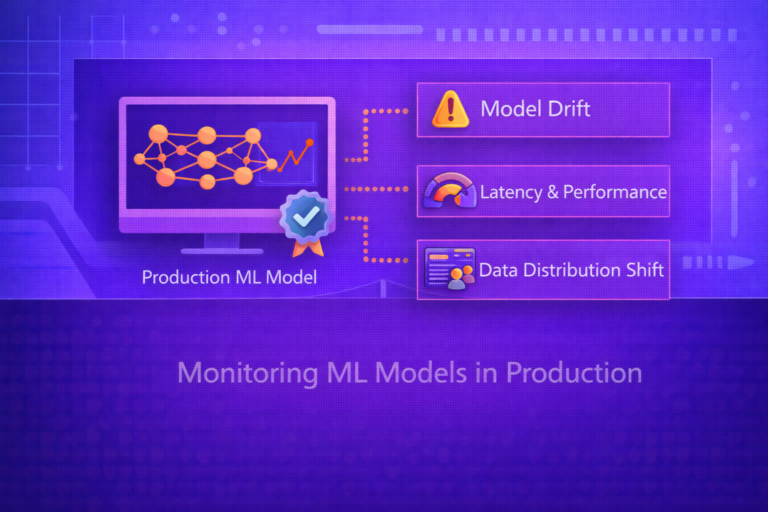
- model-specific metrics such as prediction drift or confidence distributions
Observability is essential because operational failures in ML often appear as runtime instability, not only statistical degradation.
30. Security Considerations
Containerized ML workloads must also be secured. Important concerns include:
- minimal base images
- image vulnerability scanning
- secret management
- network policies
- least-privilege execution
- signed images and trusted registries
Since models may expose sensitive business logic or data access paths, runtime hardening is an important part of ML platform design.
31. Registries and Image Distribution
Docker images are usually stored in image registries. These act as repositories for built container images so that deployment systems can pull the exact version they need.
If image digest is denoted by d(I), then immutable deployment should refer to the digest
rather than only a mutable tag such as “latest”.
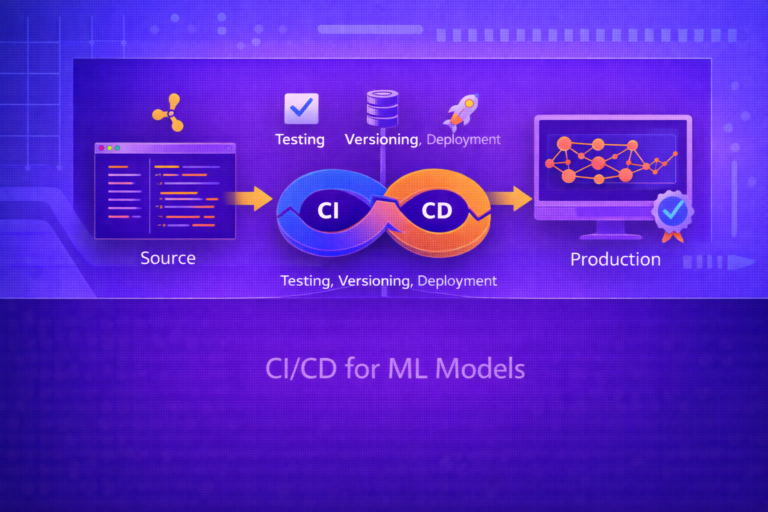
32. CI/CD for Containerized ML
A mature ML platform often integrates containerization into CI/CD:
- build the image
- run tests
- scan for vulnerabilities
- push to registry
- deploy to staging
- promote to production after checks
This makes model-serving infrastructure auditable and repeatable, just like modern software delivery pipelines.
33. Common ML Container Patterns
Typical patterns include:
- single-model inference API container
- batch scoring job container
- training container with mounted data and artifact storage
- feature extraction container in ETL pipelines
- multi-container Pod with model server plus monitoring sidecar
34. Strengths of Docker for ML
- portable packaging of ML runtimes
- reproducible dependency management
- easy local testing and CI integration
- clear image versioning and distribution workflow
35. Strengths of Kubernetes for ML
- scalable orchestration of serving and training workloads
- self-healing and declarative lifecycle control
- resource scheduling across clusters
- rolling updates, autoscaling, and service abstraction
36. Limitations and Trade-Offs
- containers do not eliminate all reproducibility issues, especially around data and randomness
- Kubernetes adds operational complexity and platform overhead
- GPU support requires careful host-runtime compatibility
- large images can slow builds and deployments
- containerization must be paired with model, data, and config versioning for full MLOps maturity
37. Best Practices
- Use small, purpose-built base images whenever possible.
- Keep runtime images separate from heavy training images when deployment needs differ.
- Externalize environment-specific configuration instead of hardcoding it into images.
- Version images immutably and deploy by digest when possible.
- Use Kubernetes Deployments for serving and Jobs/CronJobs for batch workflows.
- Monitor both infrastructure metrics and model behavior in production.
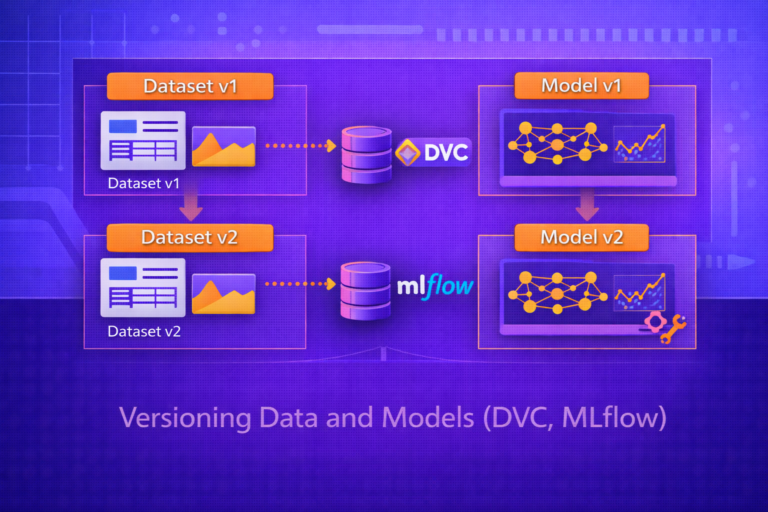
- Pair containerization with artifact registries, experiment tracking, and data/model versioning.
38. Conclusion
Containerization is a foundational technology for machine learning operations because it solves one of the most common causes of production failure: inconsistent runtime environments. Docker packages ML applications into portable, isolated images that behave predictably across development, testing, and deployment systems. Kubernetes then extends this capability to production scale by orchestrating containers across clusters with scheduling, scaling, recovery, and service abstraction.
For ML systems, this combination is especially powerful because machine learning workloads span both long-running online services and batch-style offline jobs such as training, retraining, and feature generation. Understanding Docker and Kubernetes is therefore not just a deployment convenience; it is a core part of building reliable, reproducible, and scalable ML platforms.